
Chapter 14 · 14.1
Domain health (also without an account)
Watch it in a short video
With Domain health you can see within seconds whether the basics of a domain name are in order: registration, name servers, A record, website, SSL certificate, DNSSEC and DMARC. Green is fine, orange deserves attention and red is a problem. You can check any domain name, even if it's not with WebOké, and you don't need to log in to do it.
Checking a domain
- On the website, choose Domain health from the Tools menu.
- Under Domain name (1), enter the name, for example yourdomain.com.
- Click Check (2).

After a few seconds, the Result appears. Each line has a coloured dot. The circle with an i next to a line tells you exactly what is being checked. Use Check again below the list to run the check again, for example after you've made a change.

Without logging in, we only look from the outside, just as a visitor or a mail server would. If the domain is yours at WebOké, a Log in link (1) appears above the result. Log in to see more.
Your own domain, logged in
If you're logged in and you check a domain from your own account, it shows This is your domain (1). You'll also see the lines from your account, such as Status and expiry, the expiry date at the registry, whether the domain is in Quarantine and how your Hosting package is doing.
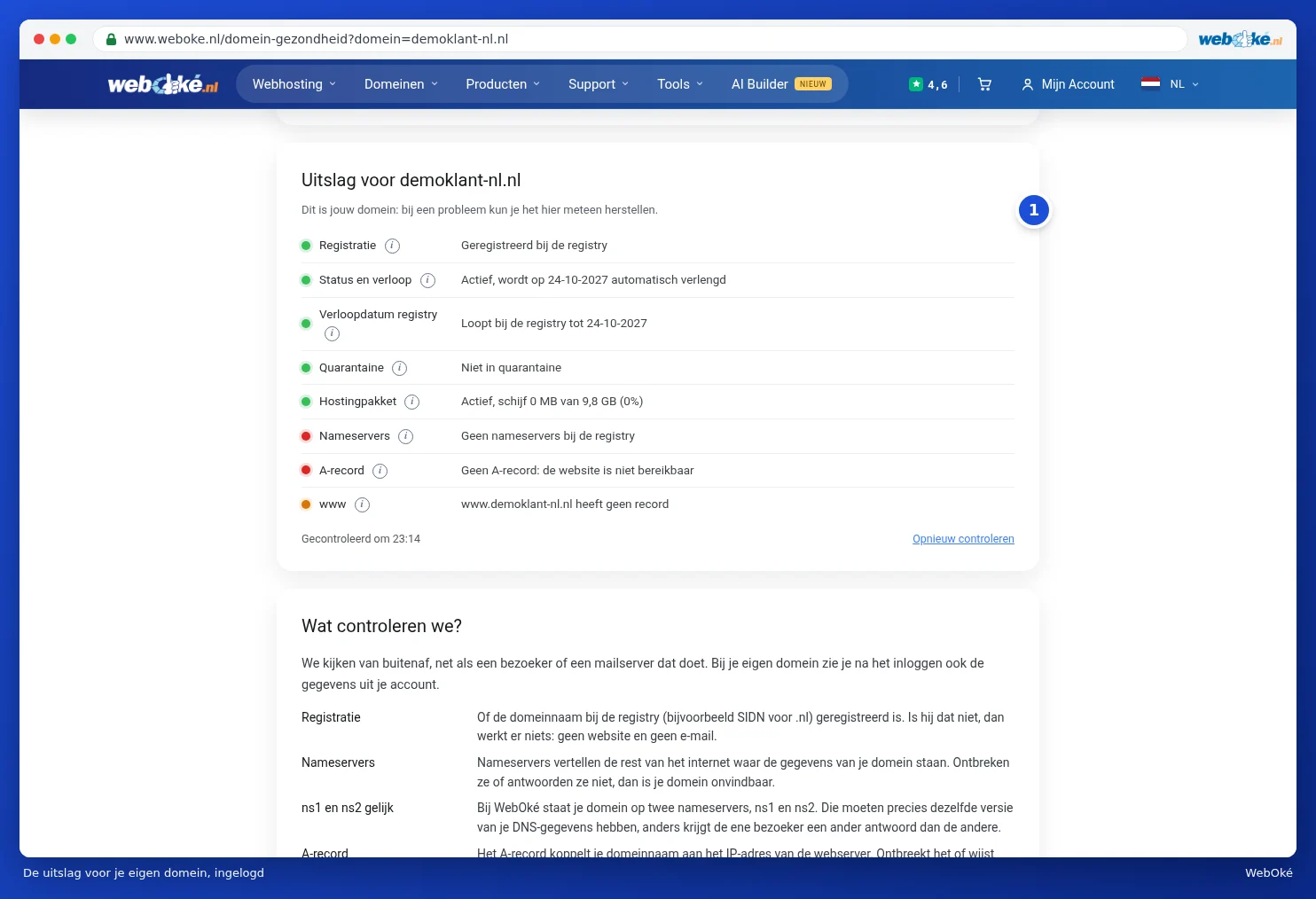
If we can fix a problem for you, a Revert button appears next to the line. Click it and the check will then be run again. You'll find the same check with revert buttons on your domain's page in My WebOké. See Domain and email health: checking and fixing.
Please note: the demo customer in the screenshot is in a test environment. That's why the name servers and A record show red for them. For a normal domain with WebOké, those lines are green.
What do we check?
| Line | What it means |
|---|---|
| Registration | Whether the domain name is registered with the registry (for example SIDN for .nl). If not, nothing works. |
| Name servers | Where your domain's data is stored. If they're missing or don't respond, your domain can't be found. |
| ns1 and ns2 match | Whether our two name servers have exactly the same version of your DNS. |
| A record | Whether your domain name points to the right web server. |
| www | Whether www before your domain name also works. |
| Website | Whether your website's homepage responds. |
| SSL certificate | Whether the certificate matches your domain and hasn't expired. |
| DNSSEC | Whether your DNS signing is correct. |
| DMARC | Whether there's a DMARC record that tells mail servers what to do with fake mail from your domain. |
The full explanation is also available at the bottom of the page, under What do we check?.
Tip: seeing red for Registration or Name servers right after placing an order or transfer? The registration may still be in progress. Check again later, or follow the transfer in the Transfer centre (The transfer centre: transferring domains to WebOké).