
Chapter 5 · 5.2
Formulas and functions: SUM, AVERAGE, IF and VLOOKUP
With formulas, you let Euro-Office do the calculations for you. A formula always starts with an equals sign (=). Change a number, and the formula recalculates instantly.
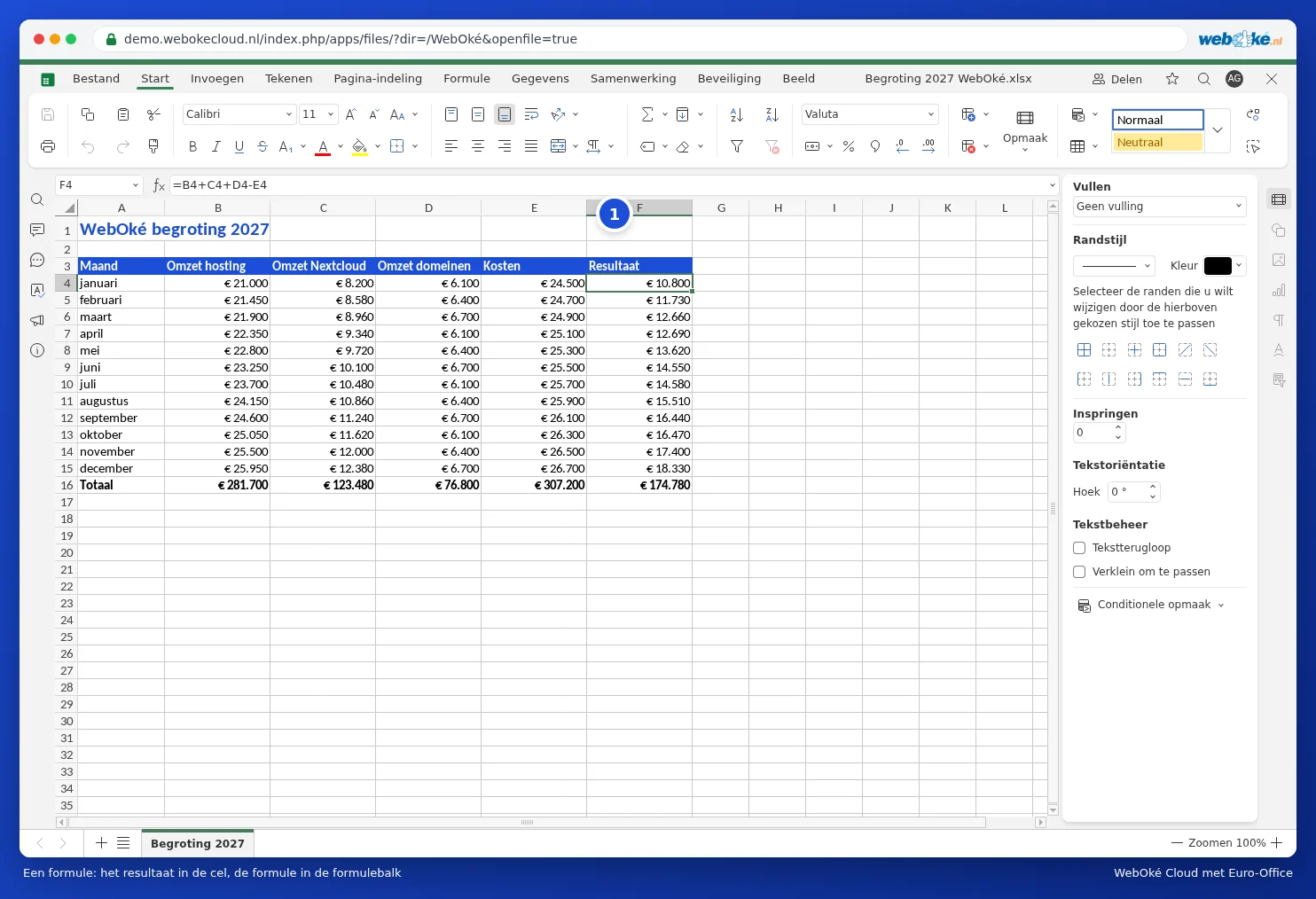
Calculating with cell addresses
In the budget, cell F4 contains the formula =B4+C4+D4-E4: revenue minus costs. Use + to add, - to subtract, * to multiply and / to divide. Use brackets to set the order, for example =(B4+C4)*1.21.
The most important functions
In English, Euro-Office uses the English function names, just like Excel in English. Separate the parts of a function with a comma (,).
| Function | What does it do? | Example |
|---|---|---|
| SUM | Adds up numbers | =SUM(B4:B15) |
| AVERAGE | The average | =AVERAGE(B4:B15) |
| MIN and MAX | The smallest and largest number | =MAX(F4:F15) |
| COUNT | Counts cells containing a number | =COUNT(D2:D17) |
| COUNTIF | Counts cells that meet a condition | =COUNTIF(C2:C17,"Nextcloud Max") |
| SUMIF | Adds up values that meet a condition | =SUMIF(C2:C17,"Nextcloud Max",F2:F17) |
| IF | Chooses based on a condition | =IF(F4>0,"profit","loss") |
| VLOOKUP | Looks up a value in a table | =VLOOKUP(H2,A2:F17,3,0) |
Quick totals with the summation symbol
Place the cursor below a column of numbers and click the summation symbol (Summation) on the Home tab. Euro-Office suggests a range for you; press Enter and the total appears. Use the arrow to choose AVERAGE, MIN or MAX instead.
Looking something up with VLOOKUP
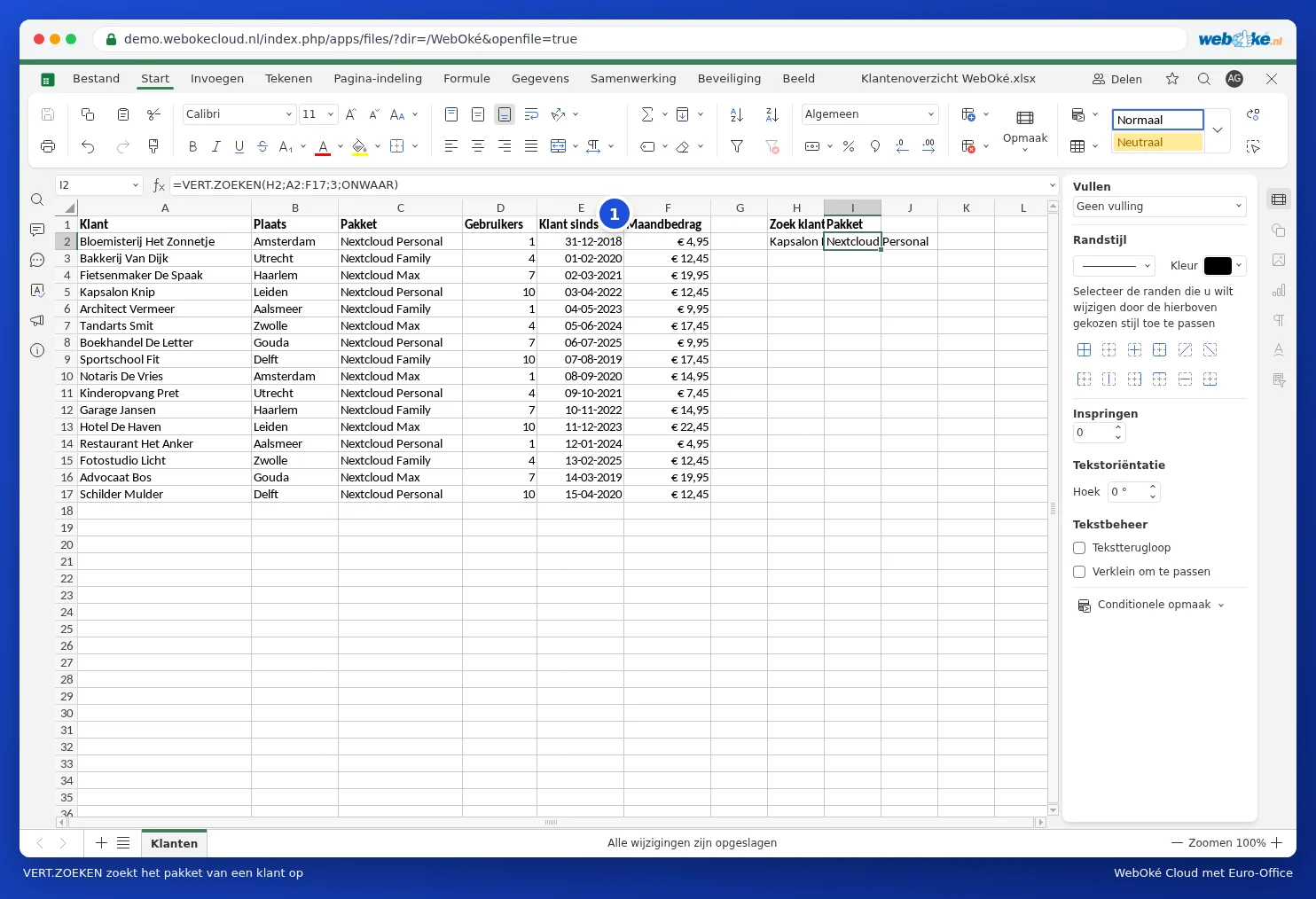
In the customer overview, we want to look up a package based on a customer name. In H2 we type the name, and in I2 the formula =VLOOKUP(H2,A2:F17,3,0). This means: look up the value from H2 in the first column of A2:F17 and return the value from the third column (the package). The 0 at the end means only an exact match counts. Use a 0 here rather than the word FALSE: Euro-Office doesn't recognise it without brackets, and then VLOOKUP will look for the nearest value, giving you an incorrect result without any error message.
All functions on the Formula tab
The Formula tab (1) lists all functions by category: financial, logical, text, date and time, lookup and reference, maths and more. Click a function and Euro-Office helps you fill in the required parts.

Fixed cell references with the dollar sign
If you drag a formula down, the cell addresses shift along with it: B4 becomes B5, B6, and so on. Want an address to stay fixed, for example a cell containing the VAT rate? Add dollar signs: $H$1. While typing an address, press F4 to quickly add the dollar signs.
Tip: if you see #NAME? in a cell, Euro-Office doesn't recognise the function name. Check the spelling. #N/A with VLOOKUP means the lookup value wasn't found. Use IFERROR to show a friendly message instead: =IFERROR(VLOOKUP(...),"not found"). You can read more about this in VLOOKUP returns #N/A: here's how to fix it. Euro-Office displays error values using the English codes, just like Excel in English.